Manage House Rules for Guests
Clear house rules help prevent misunderstandings, protect your property and set proper expectations for guests. You can define your rules differently depending on whether you manage a hotel or a rental property.
House Rules for Hotels
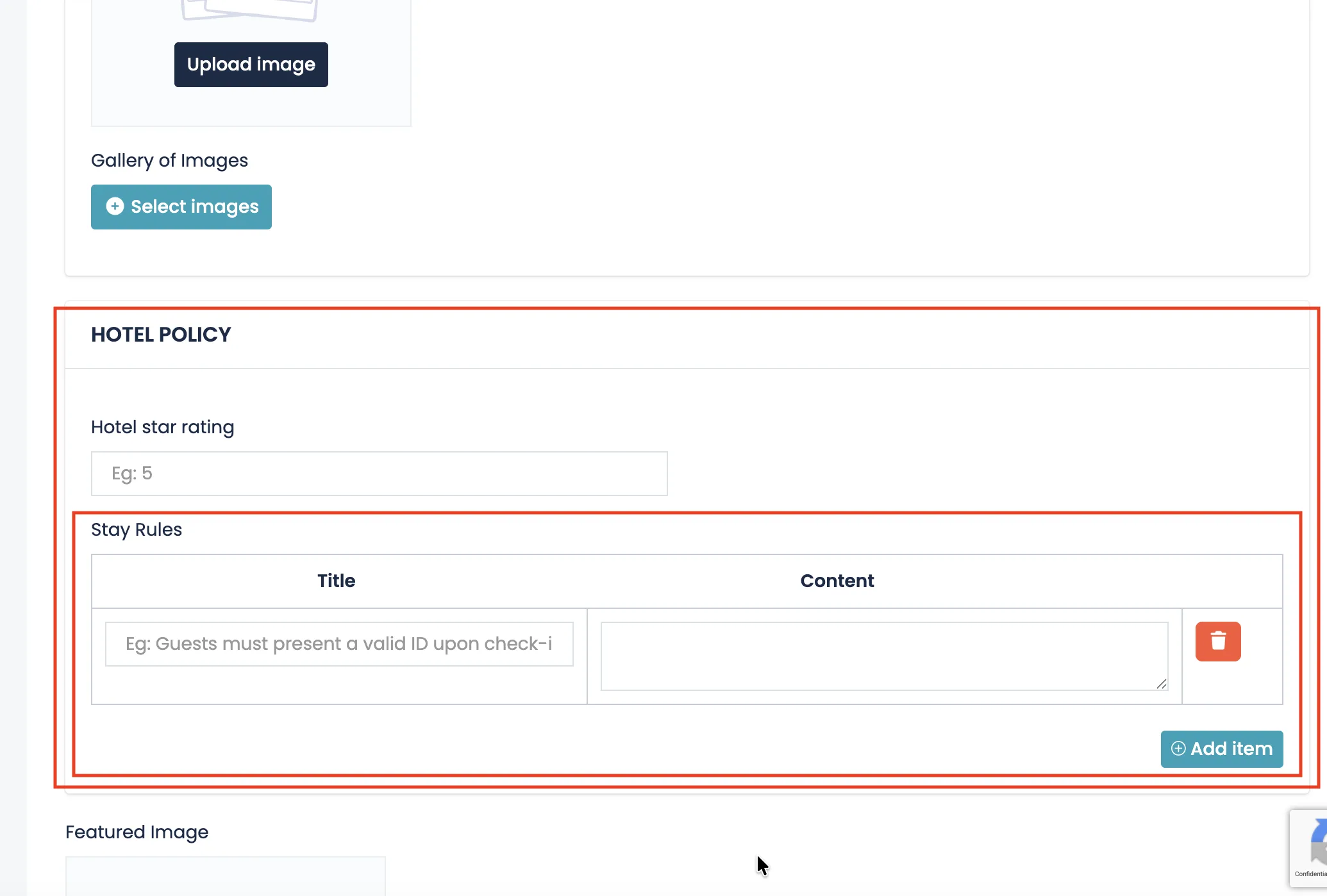
If you manage a hotel, house rules are configured inside the Hotel Policy section under Stay Rules.
Each rule consists of:
- Title – A short statement of the rule (e.g., Check-in requires valid ID).
- Content – A detailed explanation of the rule.
You can add multiple rules by clicking Add item. These rules will be visible to guests before they make a booking.
House Rules for Rentals
If you manage a rental property, house rules are added in the FAQs section.
Although labeled as FAQs, this section is used to clearly communicate important information and rules to guests.
Each entry includes:
- Title – The question or rule (e.g., Are pets allowed?).
- Content – The explanation or condition related to that rule.
You can add as many items as needed to fully explain your property policies.
Best Practices
- Be clear and specific.
- Mention check-in and check-out conditions.
- Define smoking, pet and noise policies.
- Clarify security deposits or penalties if applicable.
- Keep the tone professional and respectful.
Well-written house rules reduce booking conflicts and increase guest confidence. Clear expectations lead to smoother stays and better reviews.