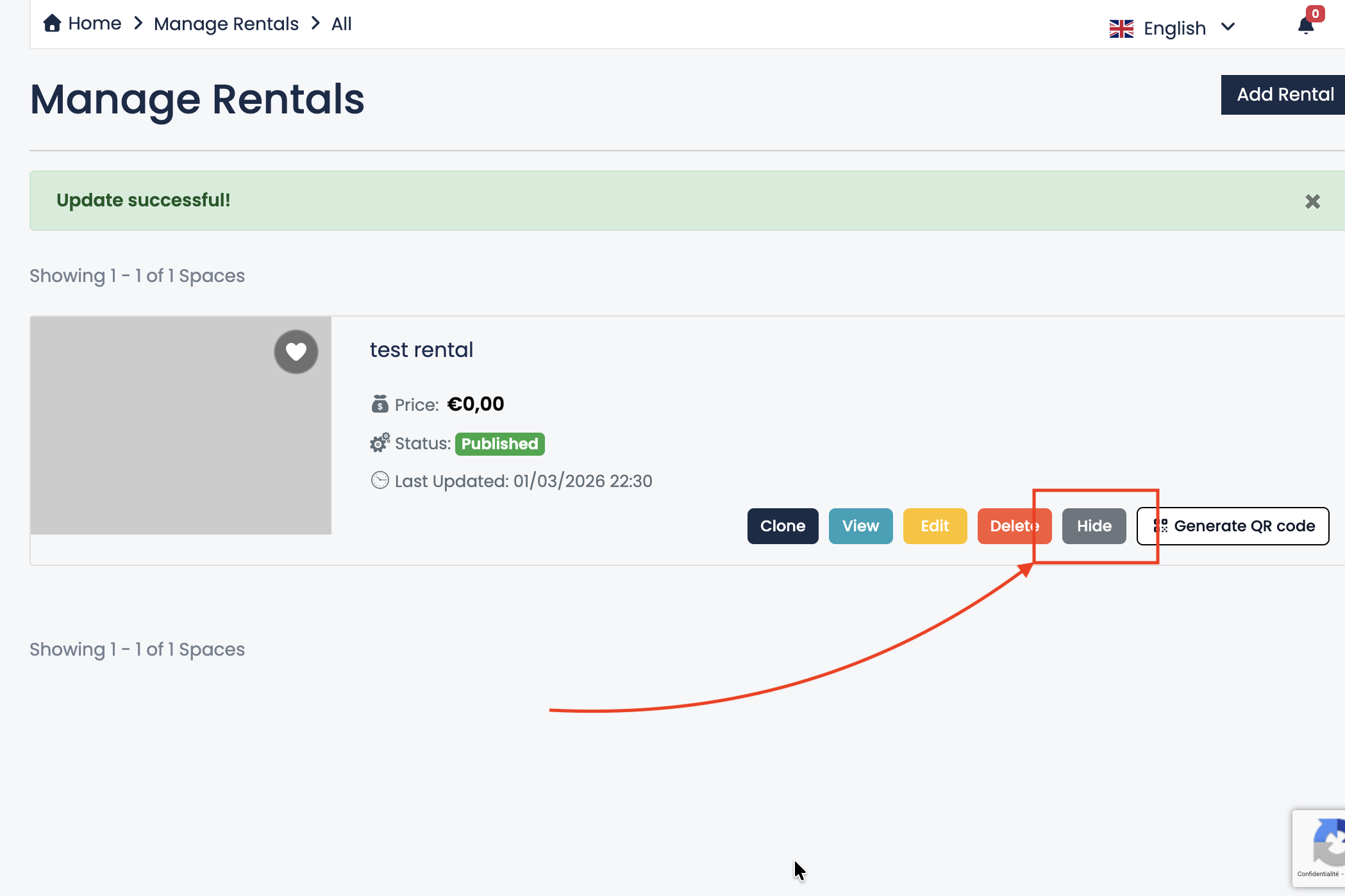
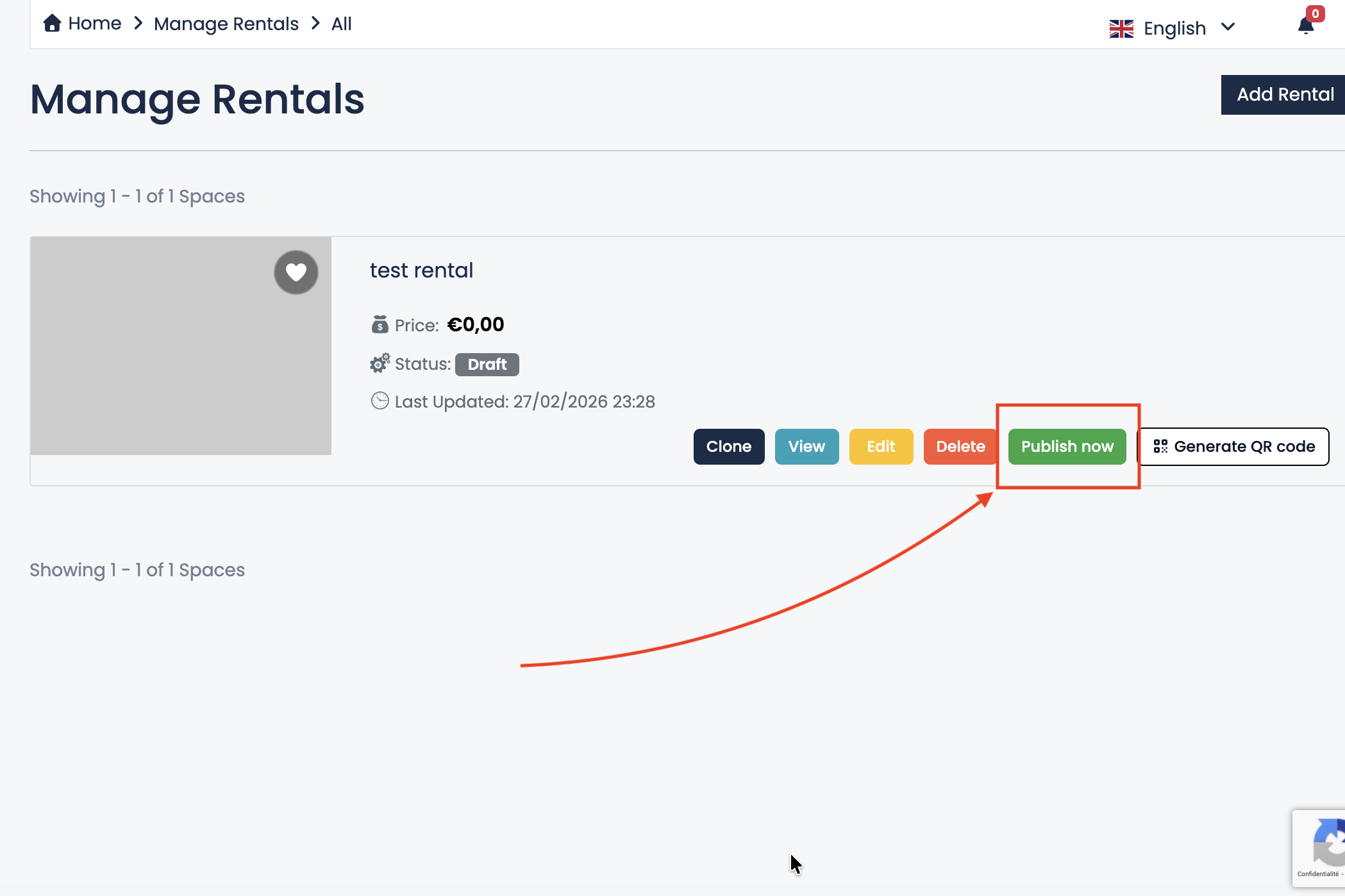
Publish or Hide Your Listing
You can control whether your listing is visible to guests at any time. The Publish and Hide options allow you to manage your listing status depending on your needs.
When to Publish Your Listing
Click Publish now when your listing is complete and ready to receive bookings. Once published, your property becomes publicly visible and guests can view and book it.
Before publishing, make sure:
- Your description is clear and professional.
- Photos are uploaded and optimized.
- Prices and availability are correctly set.
- All important information is filled in.
A complete and accurate listing increases guest trust and improves booking performance.
When to Hide Your Listing
Use the Hide option if:
- You are making important changes to your listing.
- You are not sure about pricing or availability.
- You do not have time to finish updating your information.
- You want to temporarily stop receiving bookings.
When a listing is hidden, it will not be visible to guests, and new bookings will not be possible. However, you can continue editing it at any time.
Best Practice
If you are updating photos, prices, descriptions or availability, it is recommended to temporarily hide your listing. This prevents guests from seeing incomplete or incorrect information.
Once everything is properly reviewed, simply publish your listing again.
Managing your listing visibility carefully helps protect your reputation and ensures a professional presentation.