
Manage Listing Photos
High-quality photos are one of the most important factors for attracting guests. Well-presented images increase trust, improve click-through rates and significantly impact booking decisions.
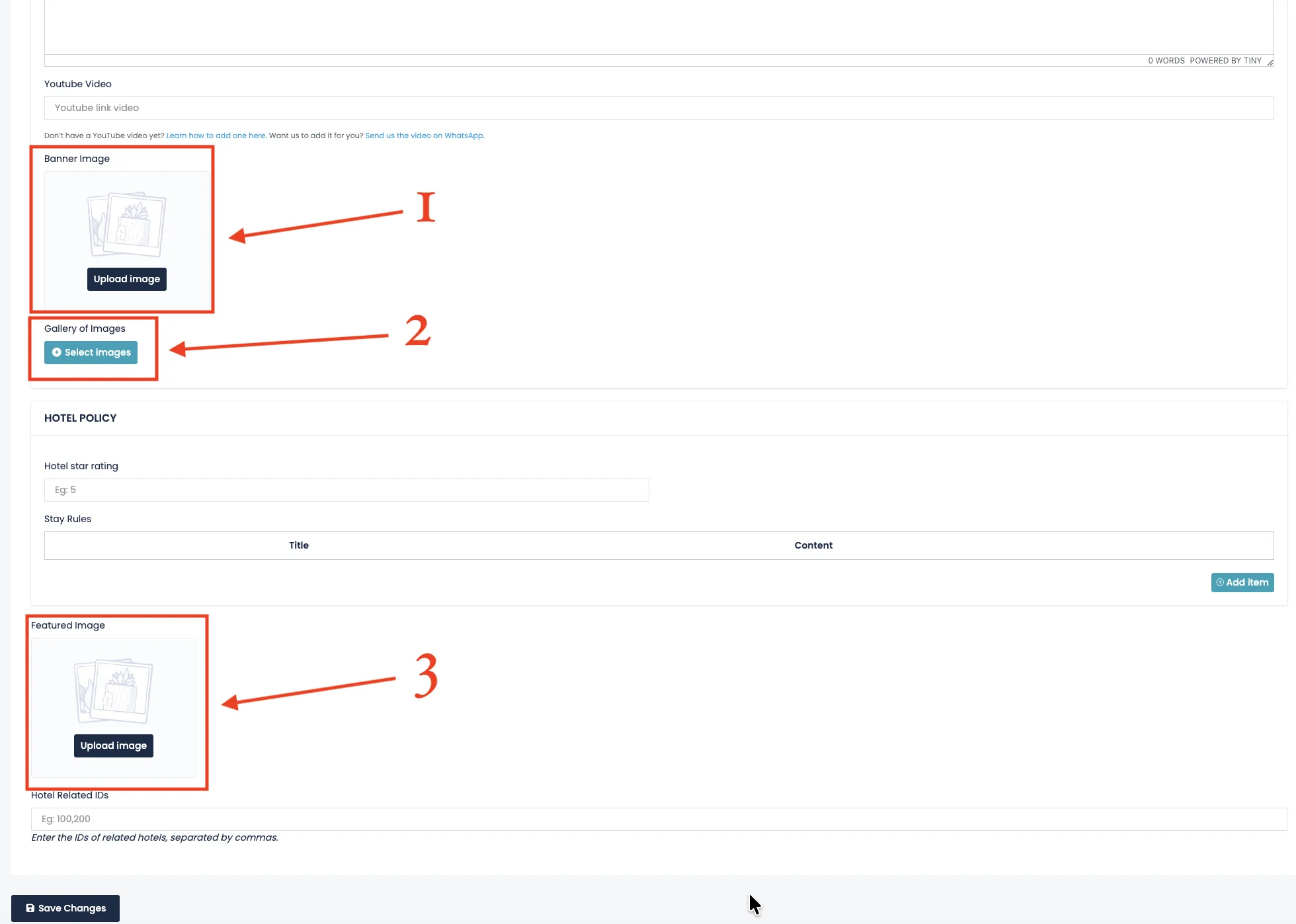
Inside your listing, you can manage three different types of images:
- Banner Image
- Gallery Images
- Featured Image
1. Banner Image
The Banner Image is the main image of your listing.
It appears as the first and largest image on your individual listing page. This is the image guests see immediately when they open your property.
Choose a visually strong, high-resolution photo that represents your property at its best. This should be your most attractive and professional image.
2. Gallery of Images
The Gallery allows you to upload up to 20 images at once.
Please wait until all images finish uploading before leaving the page. Each image is automatically optimized to ensure fast loading speed and better performance.
Gallery images allow guests to explore rooms, facilities, amenities and surroundings in detail. The more complete your gallery is, the more confident guests will feel about booking.
3. Featured Image
The Featured Image is the thumbnail image displayed in search results and listing previews.
This image represents your property in grids, search listings and category pages. It should clearly show what you offer and look attractive even in smaller sizes.
Automatic Optimization
All uploaded images are automatically optimized by the platform to ensure faster loading times and better performance across devices.
You do not need to manually resize or compress your photos. The system handles image optimization automatically.
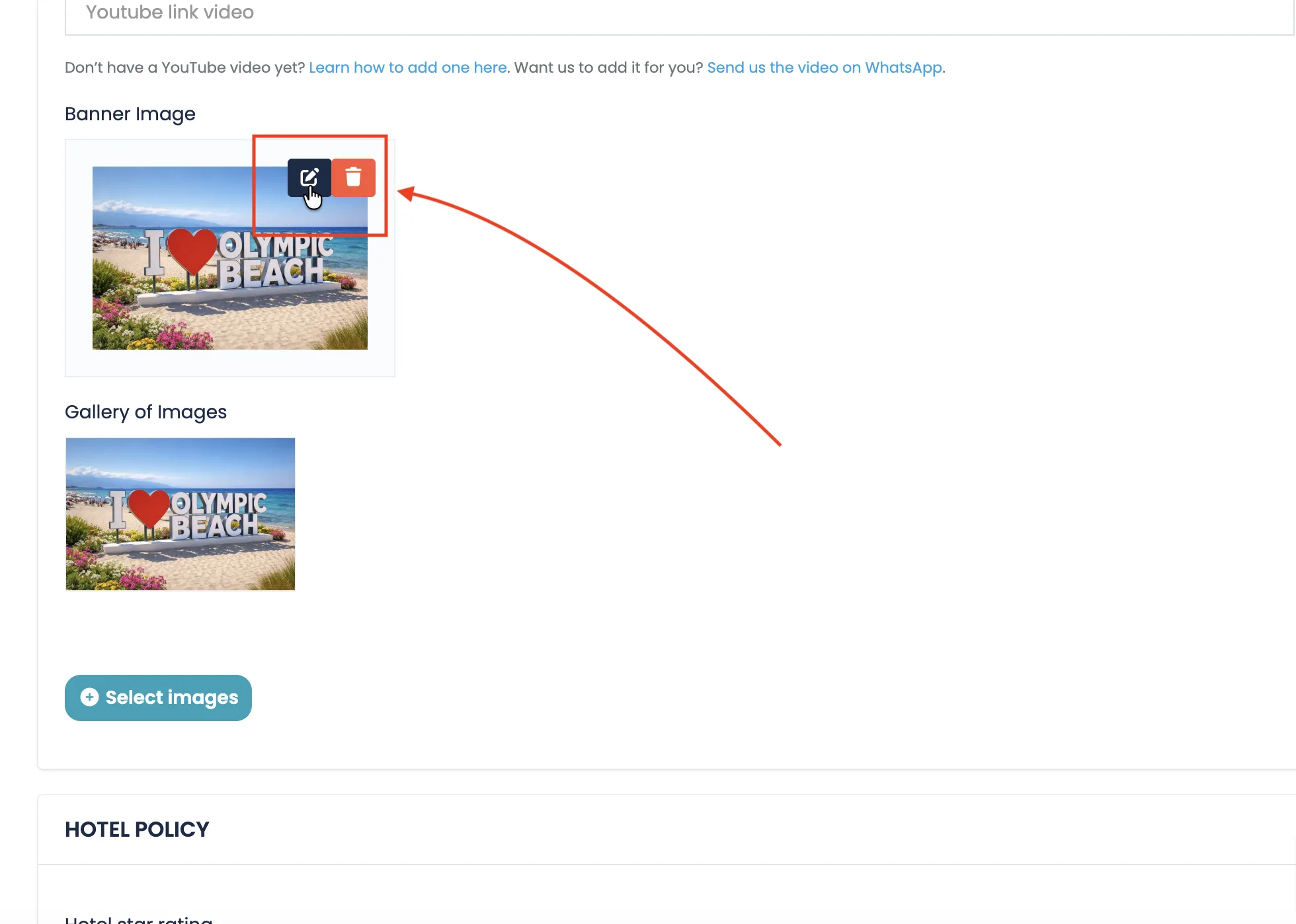
Edit or Delete Photos
After uploading an image, you will see two available options:
- Edit – Open the built-in image editor
- Delete – Remove the image and upload a new one
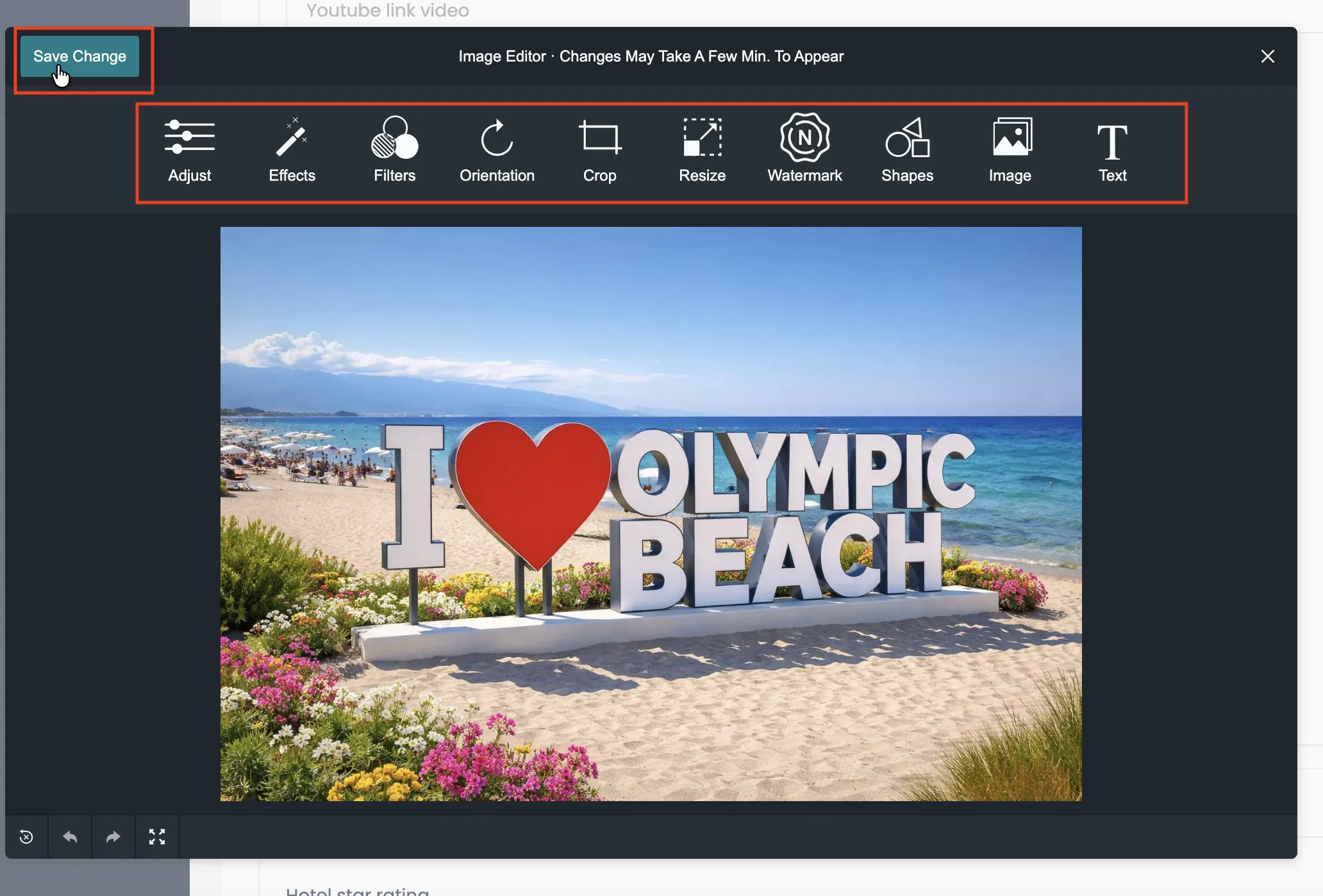
When clicking Edit, an image editor will open. You can:
- Adjust brightness and contrast
- Apply filters
- Crop or resize
- Add watermark or shapes
- Rotate or modify orientation
After saving changes, updates may take a few minutes to appear publicly. Please allow up to 5 minutes for changes to be fully applied.
Best Practices
- Use high-quality, well-lit photos.
- Avoid blurry or dark images.
- Upload realistic photos that match your actual property.
- Keep your gallery updated if you renovate or improve your space.
Professional photos improve credibility, increase bookings and create a strong first impression.
