Duplicate an Existing Listing
If you manage multiple similar properties, you do not need to create each listing from scratch. You can quickly duplicate an existing listing and use it as a template.
How to Duplicate a Listing
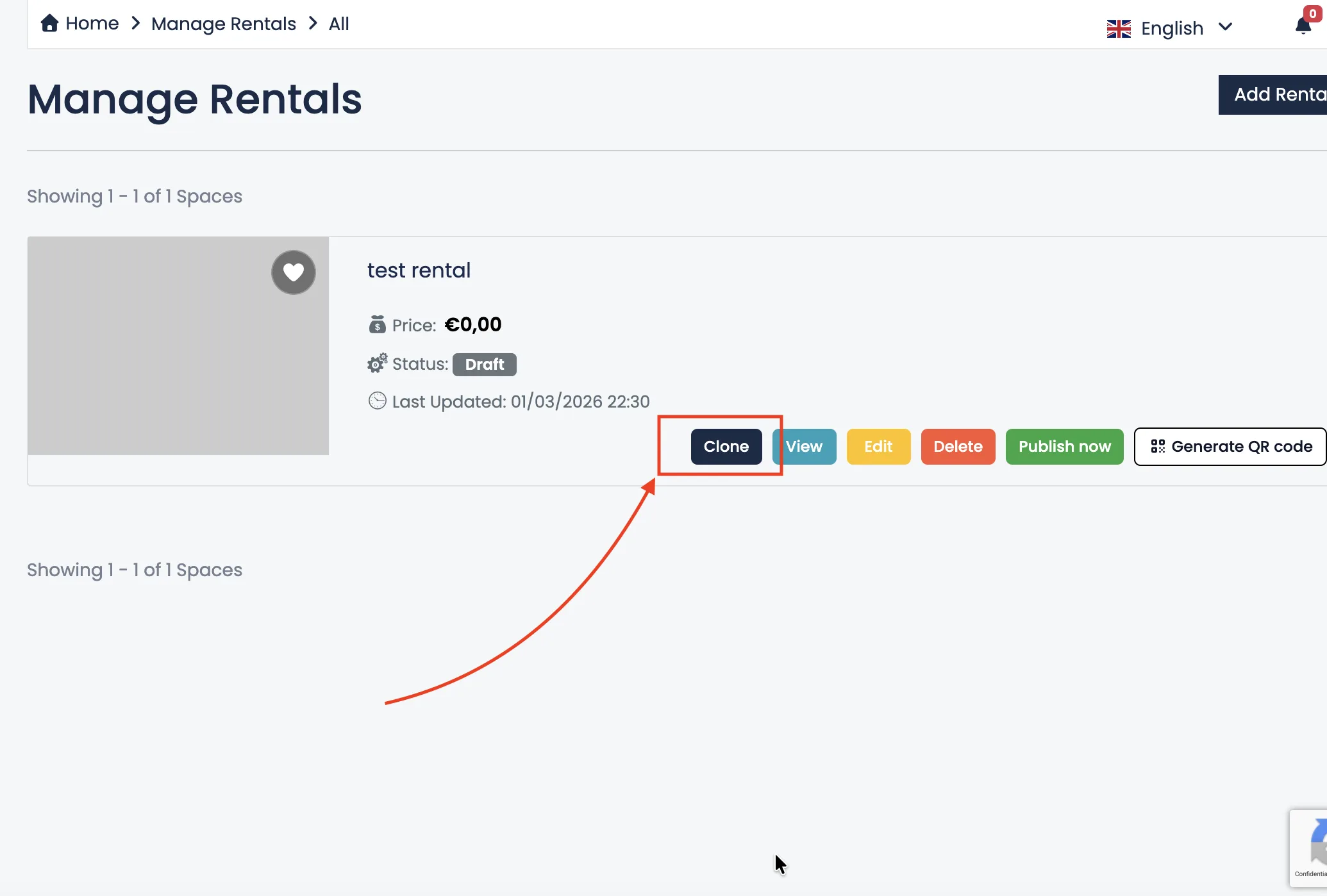
Go to Manage Rentals or Manage Hotels and locate the listing you want to copy.
Click the Clone button next to the listing.
The system will automatically create a new listing with the same information, including:
- Title and description
- Images
- Pricing settings
- Attributes and amenities
- Policies and additional details
Important: Review Before Publishing
After duplicating a listing, make sure to carefully review all information. Update details such as:
- Property name
- Address and location
- Prices and availability
- Photos (if necessary)
Duplicating a listing is useful when you manage multiple rooms, apartments or similar properties with comparable features. However, each listing should contain accurate and specific information.
Using the duplicate feature saves time and helps you maintain consistency across your listings.