
How the Referral System Works
Our referral system allows you to earn rewards by inviting new users. This guide explains how it works step by step, from sharing your link to receiving your payout.
1. Share Your Referral Link
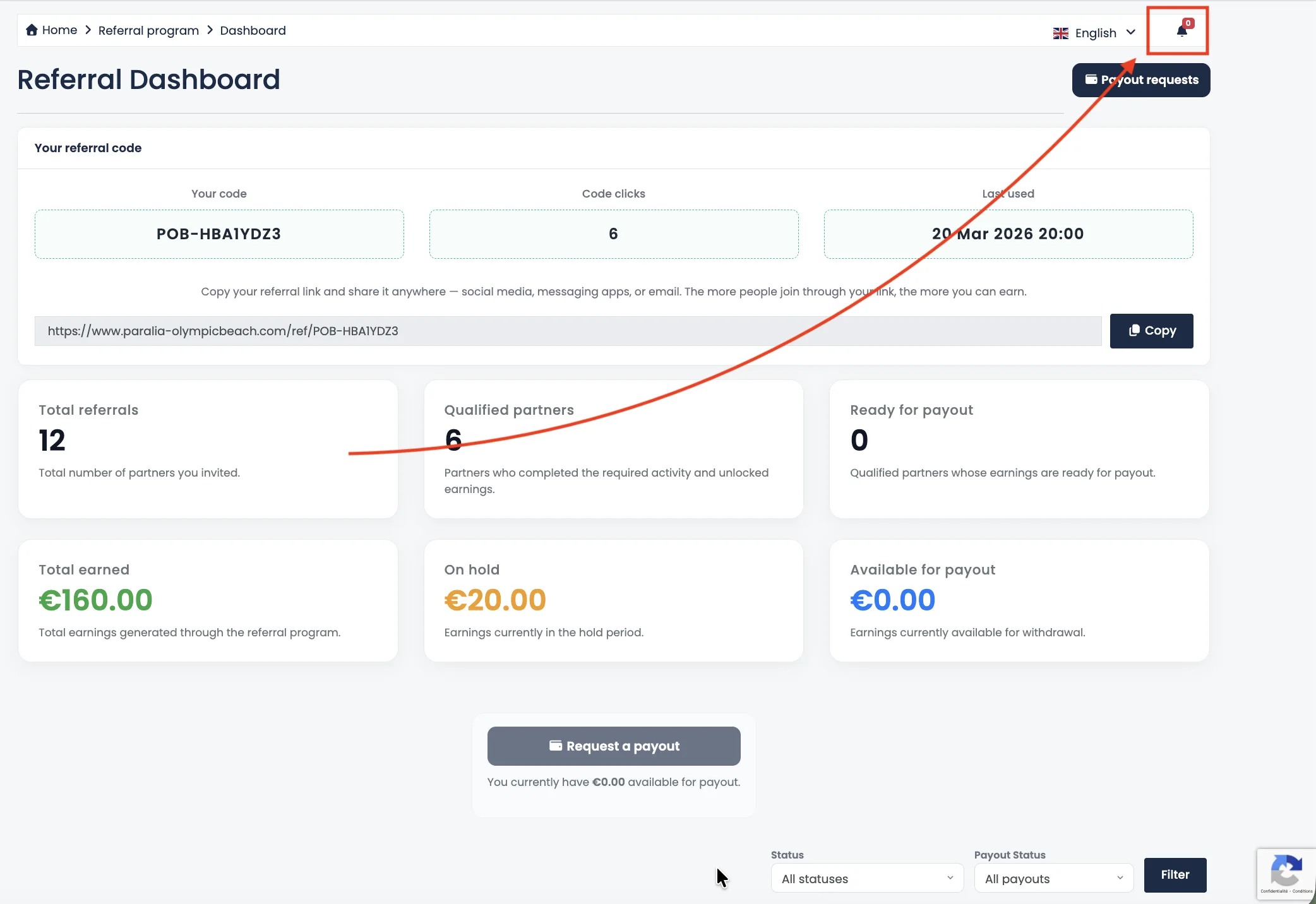
Once your account is active, you will receive a unique referral link. You can share this link anywhere — social media, websites, messages, or directly with your network.
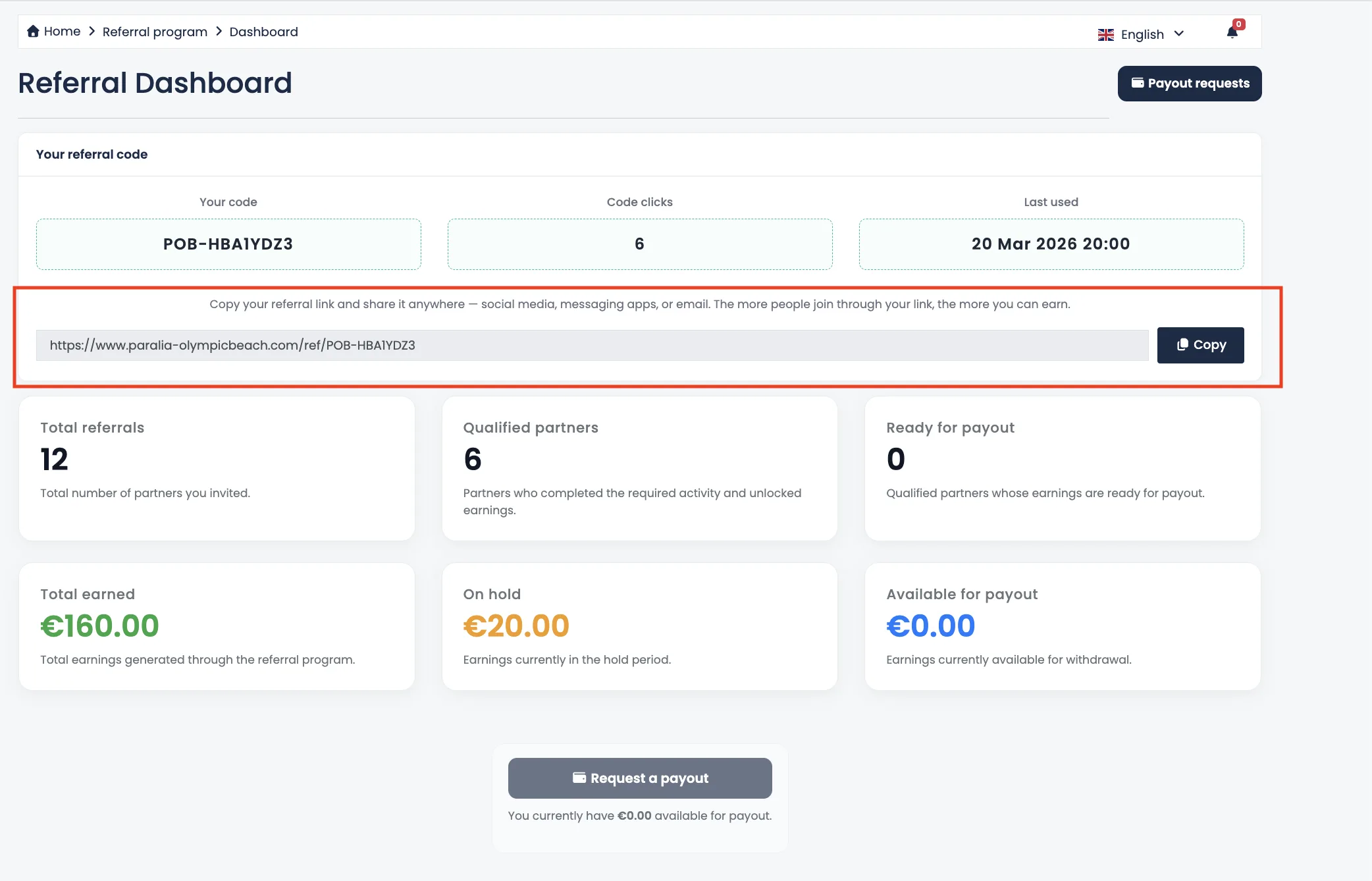
Every time someone signs up using your link, a new referral is created in your dashboard.
2. Referral Tracking & Activity
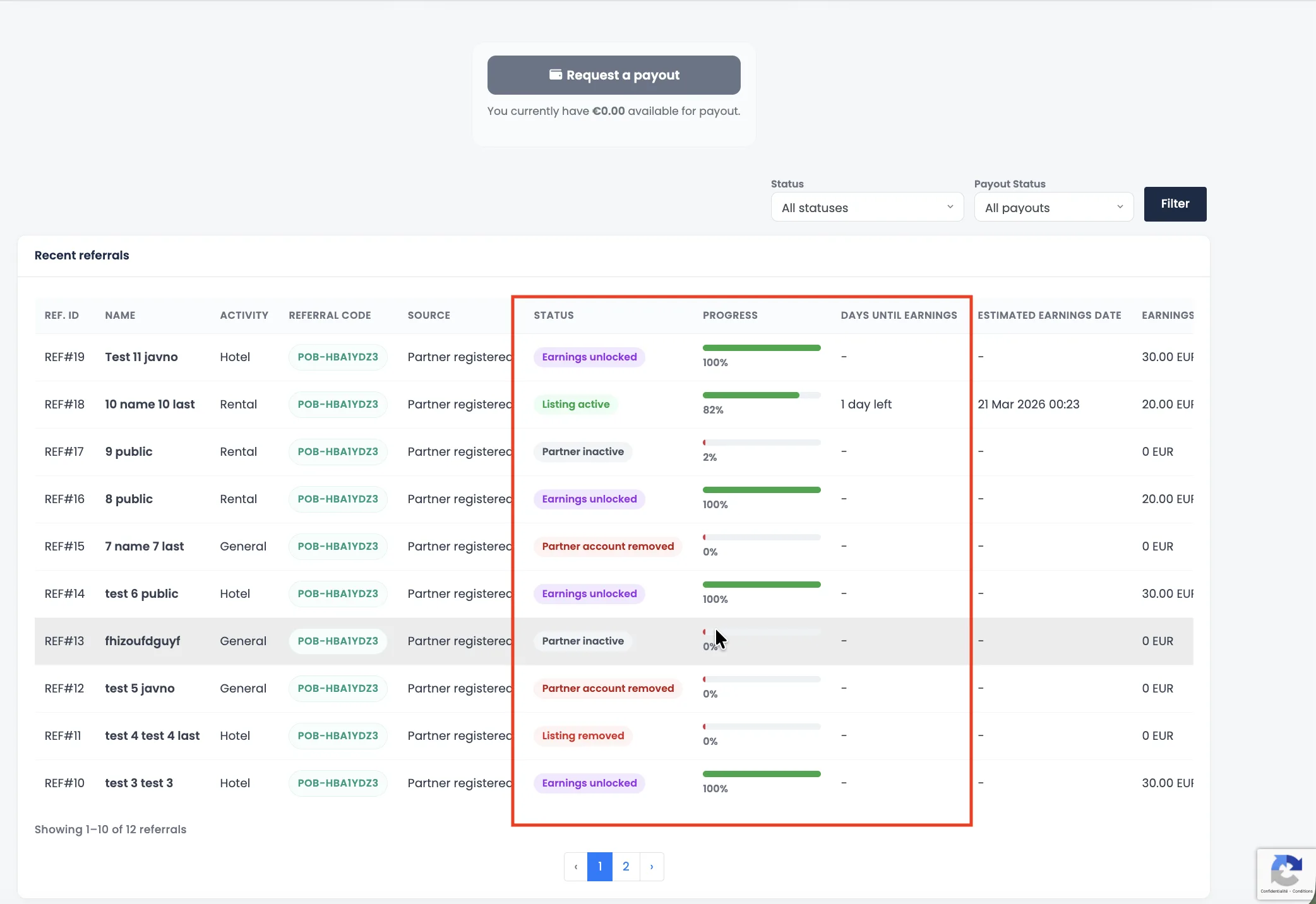
After registration, your referral enters a tracking phase. During this time, the system monitors activity to ensure the referral is valid and meets the required conditions.
You will see several time-based indicators:
- Accumulated minutes – total verified time collected
- Active minutes – current session progress
- Remaining minutes – time left to complete validation

3. Hold Period (Validation Phase)
Each referral must complete a required number of minutes before becoming eligible for rewards. This ensures quality and prevents abuse.
During this phase, the referral status will be marked as:
- On Hold
Once the required minutes are reached, the system automatically validates the referral.
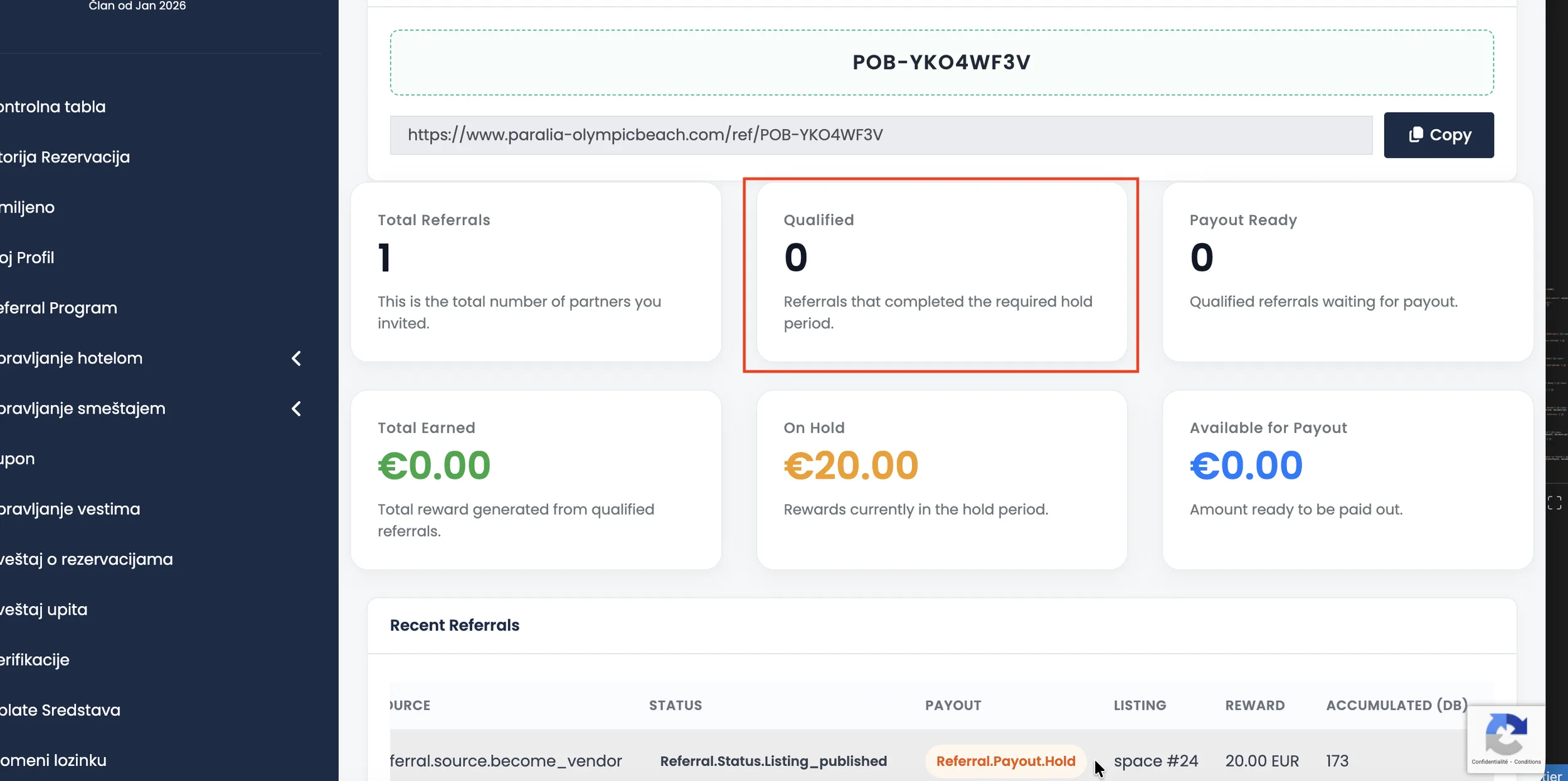
4. Referral Qualified
When a referral completes the validation process:
- The status changes to Qualified
- The reward becomes available
- You receive a notification and an email
5. Requesting a Payout
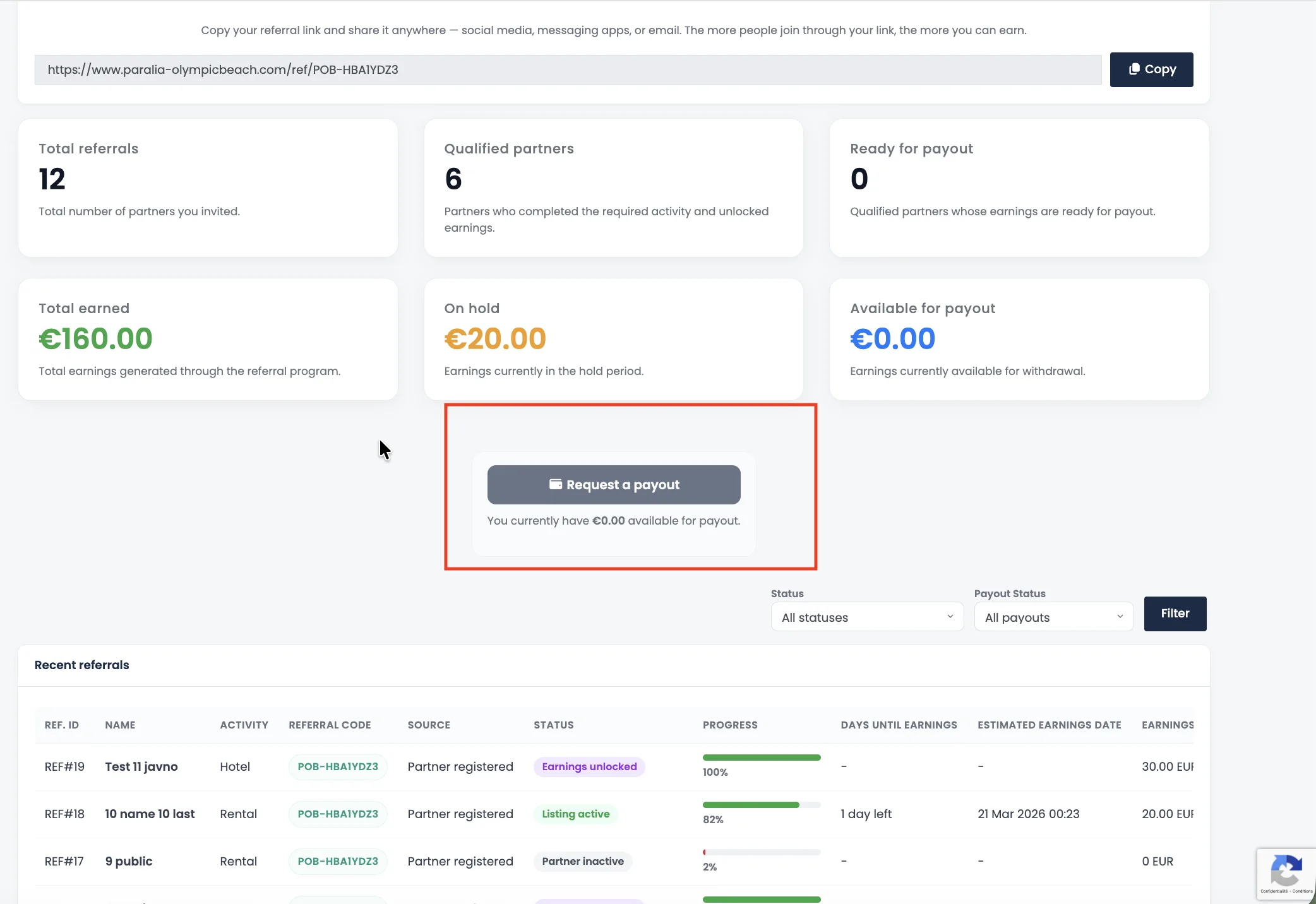
Once you have available earnings, you can request a payout directly from your dashboard.
You will need to:
- Select a payout method
- Provide payout details
- Submit your request
6. Payout Statuses Explained
After submitting your payout request, it will go through the following stages:
- Requested – your request has been submitted
- Processing – our team is reviewing your request
- Paid – payment has been completed
- Rejected – request could not be approved (with explanation)
You will receive updates via notifications and email at each step.
7. Notifications & Emails
To keep you informed, the system sends automatic updates when:
- Your referral becomes qualified
- You submit a payout request
- Your request is being processed
- Your payout is completed or rejected
8. Important Notes
- Only valid referrals are counted
- Each referral must complete the full validation period
- Rewards become available only after qualification
- Payouts are processed manually to ensure accuracy
Need Help?
If you have any questions or issues with your referrals or payouts, please contact our support team. We’re here to help.
Tip: The more you share your referral link, the more you can earn.
